Trail Pace From Fitness Calculator
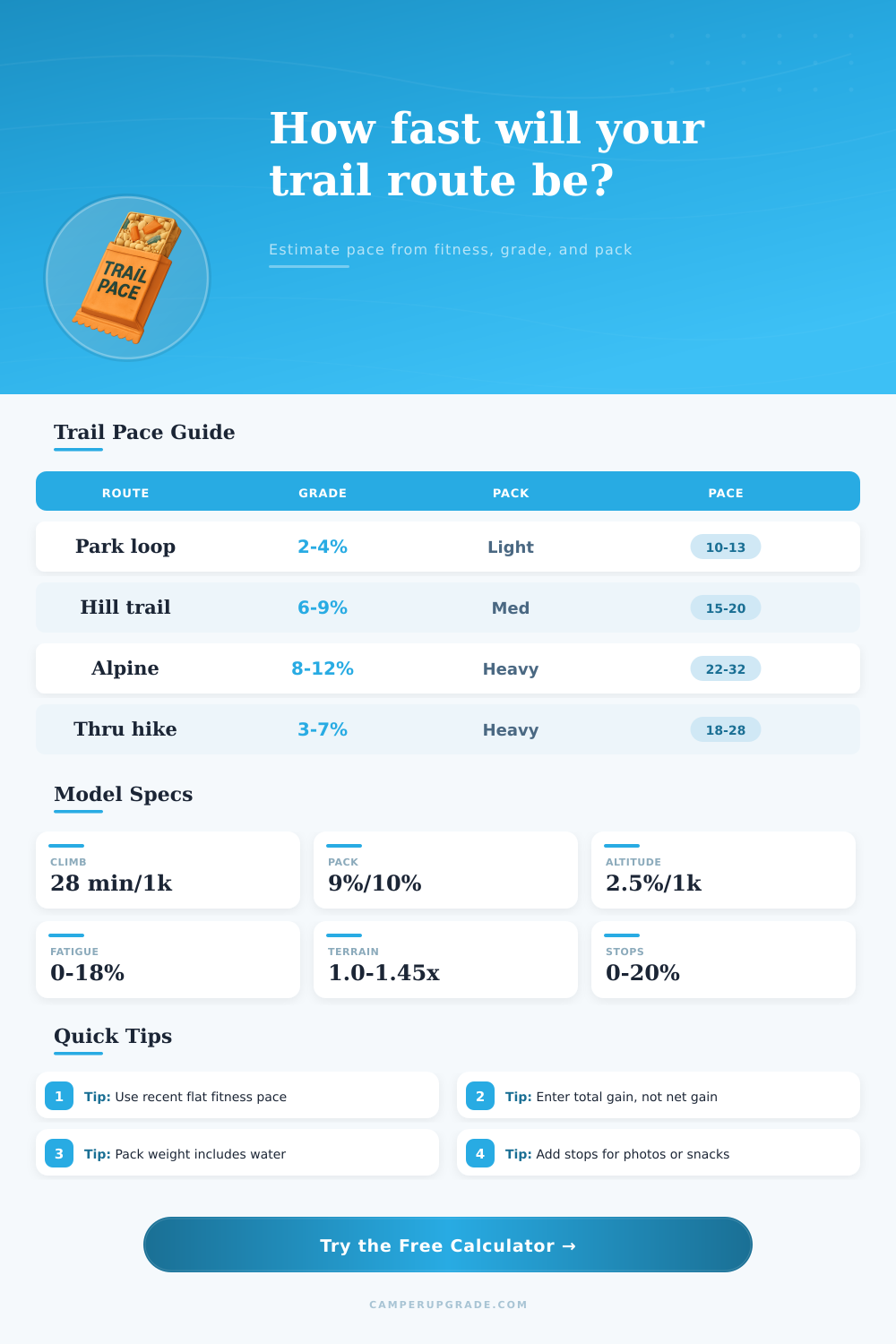
Convert a recent flat fitness pace into a realistic trail pace by adding grade, climb, descent, pack load, altitude, terrain, heat, fatigue, and stop buffer adjustments.
🏔Real Trail and Hiking Presets
⚙Fitness, Route, Pack, and Trail Inputs
📊Model Spec Grid
📘Reference Tables
| Terrain | Multiplier | Descent add | Use case |
|---|---|---|---|
| Paved or hardpack | 1.00x | 4 min/1k ft | Rail trail, road connector, smooth park path |
| Smooth dirt trail | 1.07x | 5 min/1k ft | Groomed dirt, low roots, clear sight line |
| Rolling singletrack | 1.14x | 7 min/1k ft | Frequent curves, small rocks, short steps |
| Rocky or rooty trail | 1.25x | 10 min/1k ft | Foot placement matters on climbs and descents |
| Mud, sand, loose gravel | 1.34x | 12 min/1k ft | Energy loss from unstable footing |
| Snow, talus, off-trail | 1.45x | 14 min/1k ft | Slow travel with high attention demand |
| Average grade | Gain per mile | Climb add | Trail feel |
|---|---|---|---|
| 1-3% | 50-160 ft | 1-5 min/mi | Gentle rolling route |
| 4-6% | 210-320 ft | 6-9 min/mi | Steady climb blocks |
| 7-10% | 370-530 ft | 10-15 min/mi | Power hike or strong run |
| 11-15% | 580-790 ft | 16-22 min/mi | Long steep trail climbing |
| 16%+ | 845+ ft | 24+ min/mi | Very steep hiking terrain |
| Pack ratio | Typical pack | Pace add | Best use |
|---|---|---|---|
| 0-3% | Phone, flask, keys | 0-3% | Short trail run or park loop |
| 4-8% | Hydration vest | 4-7% | Long run or light day hike |
| 9-15% | Day pack | 8-14% | Layers, food, water, safety kit |
| 16-25% | Backpacking load | 14-23% | Overnight or hut approach |
| 26%+ | Heavy expedition pack | 23%+ | Slow technical hiking pace |
| Preset | Distance | Gain | Planning note |
|---|---|---|---|
| Park fitness loop | 3.2 mi | 180 ft | Mostly flat, little pack weight |
| Rolling singletrack | 7.5 mi | 1,050 ft | Run effort with roots and short climbs |
| Alpine climb day | 9.8 mi | 3,600 ft | Steep gain and high route elevation |
| Weekend backpack | 11.5 mi | 2,400 ft | Heavy pack, slower descents |
| Thru-hike section | 18.0 mi | 3,100 ft | Long fatigue and normal break buffer |
💡Trail Pace Tips
To calculate trail time, an estimation of a persons pace are necessary. A person may be aware of their road pace, but trail terrain is not the same as road terrain so the road pace can differ from trail pace. This calculator help to find trail pace from road pace by accounting for various factors that may slow a person down on the trail.
A person must start with an understanding of their fitness baseline. A persons fitness baseline should be based on a recent hike that can be sustained for the same length as the planned hike. This fitness baseline is where the trail time calculation calculator start.
How to Estimate Your Hike Time
Various factor impact a persons time on the trail, such as the grade of the trail. Every foot that a person climbs require the person to take more time than if the person were descending to the same elevation. The calculator use total elevation gain instead of net elevation change because it accounts for every climb that is to be made on the trail as well as every descent.
Descents can also take more time than climbs due to the technical nature of the trail terrain. Another factor that may impact a persons trail time is the weight of the persons pack. A heavier pack makes it more difficultly for a person to maintain their balance and stride.
The calculator account for this by allowing a person to input the weight of their pack. A small daypack will result in a small impact on time, but a heavy pack will result in a large impact on the calculated trail time. Altitude can also affect a persons pace on the trail; the higher the altitude, the more difficult it is for a person to move on the trail.
The effect of altitude begin to impact a persons time above 5,000 feet and increases with the increase in elevation. Finally, heat, fatigue, and the type of trail terrain can all increase the amount of energy that a person must expend to move forward on the trail. The tables provided on the calculator allow a person to choose a terrain multiplier.
The terrain multiplier should represent the terrain that will be encountered on the trail. For instance, a groomed dirt path will have a low terrain multiplier because the terrain is similar to a paved road. Terrain feature like snow, talus, and off-trail terrain will have a high terrain multiplier because these type of terrain are difficult to travel on.
Finally, the effort that a person will use can also impact time; using an easy pace will lead to a higher time estimate then if a person was using their strong fitness efforts to hike at the required pace. The calculator will provide a person with the moving time that it calculated. However, this time does not account for any break that will be taken on the trail.
A person must add in the time that they will take for breaks; to do so, a person can use the percentage of a stop buffer that the calculator provides for a person to input their actualy planned travel time. This will ensure that the total time that the person will be on the trail is accounted for. The calculator will show the adjusted trail pace, the moving time, the total trail time including breaks, the overall load of the person in comparison to their fitness pace when traveling on flat terrain, and what the overall load indicate for the difficulty of the trail relative to a persons normal hiking pace.
For instance, if a persons overall load is high, that indicates that the trail will be difficult relative to a persons normal hiking pace. Thus, a person should of plan for the trail accordingly. An error that many people make is underestimating the number of factors that will slow them down on the trail.
For instance, although a person may be able to hike up a trail of even moderate elevation on smooth terrain at a fast rate, if it is hot and the person feels fatigued and has a heavy pack, it is likely that the person will take longer to hike the same distance on the trail. The calculator automatically calculates these factors according to the information that a person input. The result of this calculator will provide a person with an estimation of the total time that it will take for them to complete the hike.
A person can use that estimate to set a turnaround time for the hike, to determine if they need to add any extra weight while on the trail, and to prepare for their hike that day.