Humidity to Dew Point Calculator
Convert air temperature and relative humidity into dew point, then validate condensation risk using surface temperature margins.
📍Humidity Scenario Presets
⚙Humidity Inputs
📊Humidity Conversion Spec Grid
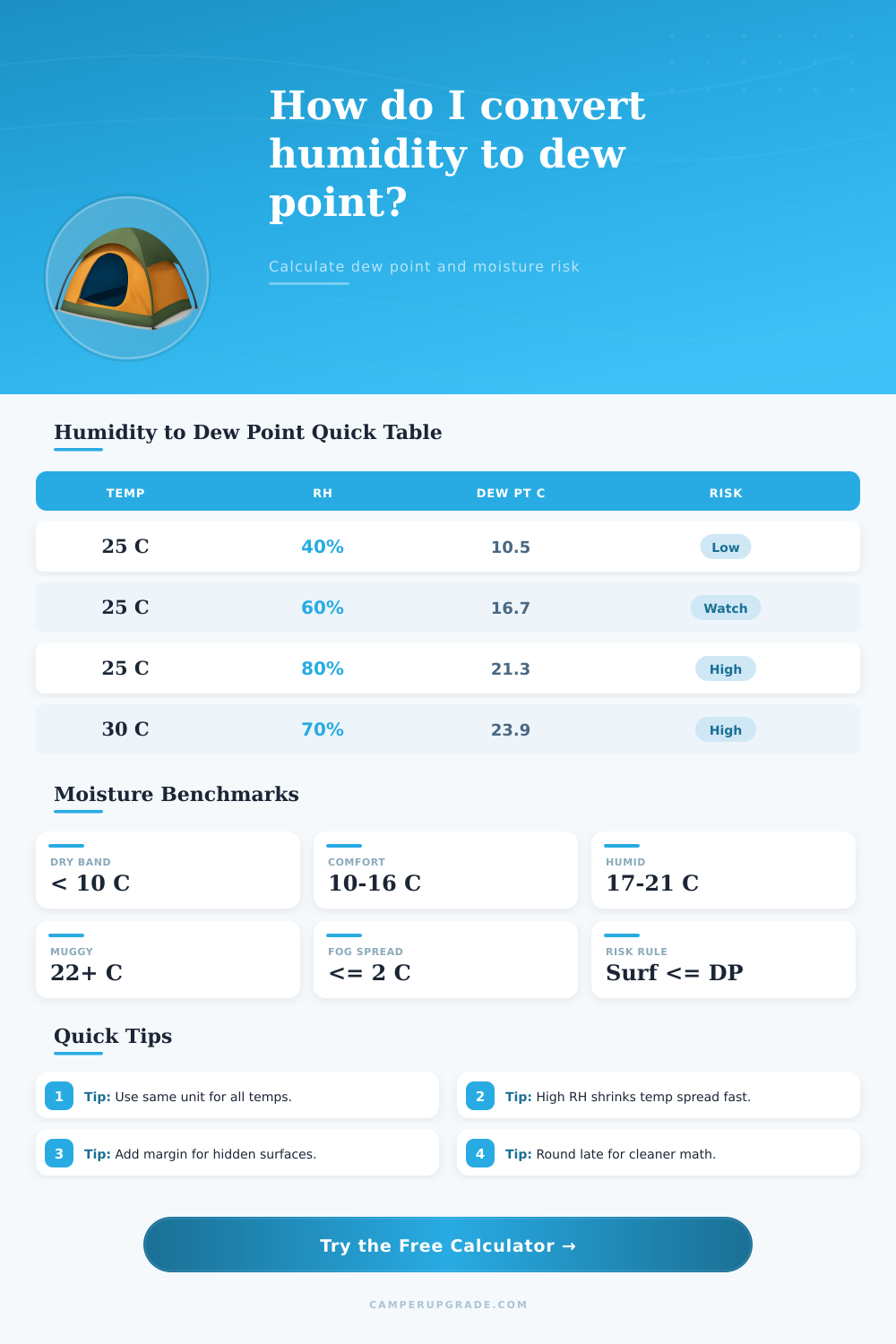
📘Humidity to Dew Point Tables
| Air Temp at 25°C | Relative Humidity | Dew Point (°C) | Spread (°C) |
|---|---|---|---|
| Fixed 25°C | 30% | 6.2 | 18.8 |
| Fixed 25°C | 50% | 13.9 | 11.1 |
| Fixed 25°C | 70% | 19.1 | 5.9 |
| Fixed 25°C | 90% | 23.2 | 1.8 |
| Dew Point Band | Range (°C) | Range (°F) | Moisture Feel |
|---|---|---|---|
| Dry | < 10 | < 50 | Fast evaporation |
| Comfort | 10 to 16 | 50 to 61 | Balanced indoor feel |
| Humid | 17 to 21 | 63 to 70 | Sticky sensation starts |
| Muggy | > 22 | > 72 | Condensation more likely |
| Dew Point (°C) | Dew Point (°F) | Dew Point (K) | Typical Interpretation |
|---|---|---|---|
| 0.0 | 32.0 | 273.15 | Freezing moisture threshold |
| 10.0 | 50.0 | 283.15 | Cool dry benchmark |
| 16.0 | 60.8 | 289.15 | Comfort crossover band |
| 24.0 | 75.2 | 297.15 | High vapor content zone |
| Surface Type | Surface Temp | Dew Point Trigger | Condensation Outcome |
|---|---|---|---|
| Single-pane glass | 8°C | ≥ 8°C | Window fog likely |
| Metal hatch panel | 12°C | ≥ 12°C | Surface wetting starts |
| Insulated wall | 16°C | ≥ 16°C | Moisture film possible |
| Duct exterior | 14°C | ≥ 14°C | Sweating expected |
The dew point is the temperature at which air becomes saturated with water vapor, and the dew point is the temperature at which water vapor turn into liquid water. While many weather reports present the relative humidity level, the relative humidity level only tells you how much moisture is in the air compared to the maximum amount of moisture that the air can hold at a specific temperature. Warm air can hold much more water vapor than cold air.
Therefore, 60% relative humidity at 30 degrees Celsius feel different than 60% relative humidity at 10 degrees Celsius. To understand the amount of moisture in the air without regard to the temperature, you must use the dew point. If the dew point is above 22 degrees Celsius, it is muggy and sweat will not evaporate easy.
What Is Dew Point and How to Use a Dew Point Calculator
If the dew point is below 10 degrees Celsius, the conditions are dry and crisp to the touch. A dew point calculator can help you manage moisture levels in your environment. The dew point calculator use the Magnus formula to calculate complex mathematical equations.
All you have to do is enter the temperature and the relative humidity of your environment in the dew point calculator. If you are calculating the moisture content on a specific object, you will also need to enter the surface temperature of that object. In addition to the surface temperature, you must also enter a safety margin.
The safety margin accounts for the fact that not all area of an object may be the same temperature. The dew point calculator will provide you with the dew point of the environment, the temperature spread between the air and the object, and the absolute humidity in gram per cubic meter. Additionally, if the surface temperature is at or below the dew point of the environment, the dew point calculator will provide you with a risk flag that alerts you to the fact that condensation will form on that object.
The temperature spread between the air and the object is used to calculate the risk of condensation on that object. The temperature spread is the difference in temperature between the air and the object. The larger the temperature spread, the less risk of condensation.
For instance, suppose the temperature of the air is 25 degrees Celsius with a relative humidity of 70%. In that case, the dew point of the air is 19 degrees Celsius. If the metal hatch on your gear is touching the user and is at 16 degrees Celsius, the metal is below the dew point of the air.
Therefore, moisture will condense on that metal hatch. If you add a one-degree safety margin to the hatchs temperature, it becomes even more apparent that condensation will form on that piece of metal. The Magnus formula is utilized in calculating the dew point in that formula use specific coefficients to adjust for the air mass.
For warm air, the Magnus coefficients are 17.62 and 243.12. These coefficients provides a reliable calculation for dew point in tropical environment. Using the wrong coefficients will result in a calculation error of one or two degrees in the calculated dew point.
This degree of error may make you miss the formation of condensation on your stored gear. Additionally, the dew point calculator allows for adjustments in air pressure. Air pressure decrease at high altitudes.
Therefore, you must make adjustments to account for air pressure. Dew point measurements can be used for both indoor and outdoor environment. For instance, if the indoor area that you are sleeping in has a dew point of 15 degrees Celsius with a canvas sleeping wall, the moisture content of the air will condense on that sleeping wall.
In desert environment, you may want to have a dew point that is below 10 degree to allow for quick drying of individuals in the environment. In winter environment, however, you may want to check for frost on windows. If the indoor air temperature of the environment has a dew point that is above the temperature of the window glass, condensation will form on the window.
Therefore, using these benchmark for the dew point and the conditions that they describe will help you to take appropriate actions in your environment. To use the dew point calculator correctly, you must follow a few specific steps. First, make sure that all the value that you enter into the calculator use the same unit of measurement.
Using different unit for temperature will introduce errors into the temperature spread. Second, make sure to pay close attention to the relative humidity readings when the relative humidity is above 80%. Third, be sure to use a larger safety margin for objects that cannot be directly touch, like air ducts.
Air ducts may have areas of hot and cold air. Finally, only round the values at the end of your calculation so that you do not introduce errors into your calculation. Using the dew point to monitor moisture content in your environment allows you to prevent mold growth and discomfort caused by excess moisture in the air.