Break Time Budget Calculator
Plan a road-trip or campsite pause by assigning minutes to rest, food, service tasks, care needs, and departure slack.
🚘Named break presets
⏱Break inputs
Full time breakdown
📋Break task spec grid
📊Break window reference
| Break window | Best use | Typical tasks | Rest expectation |
|---|---|---|---|
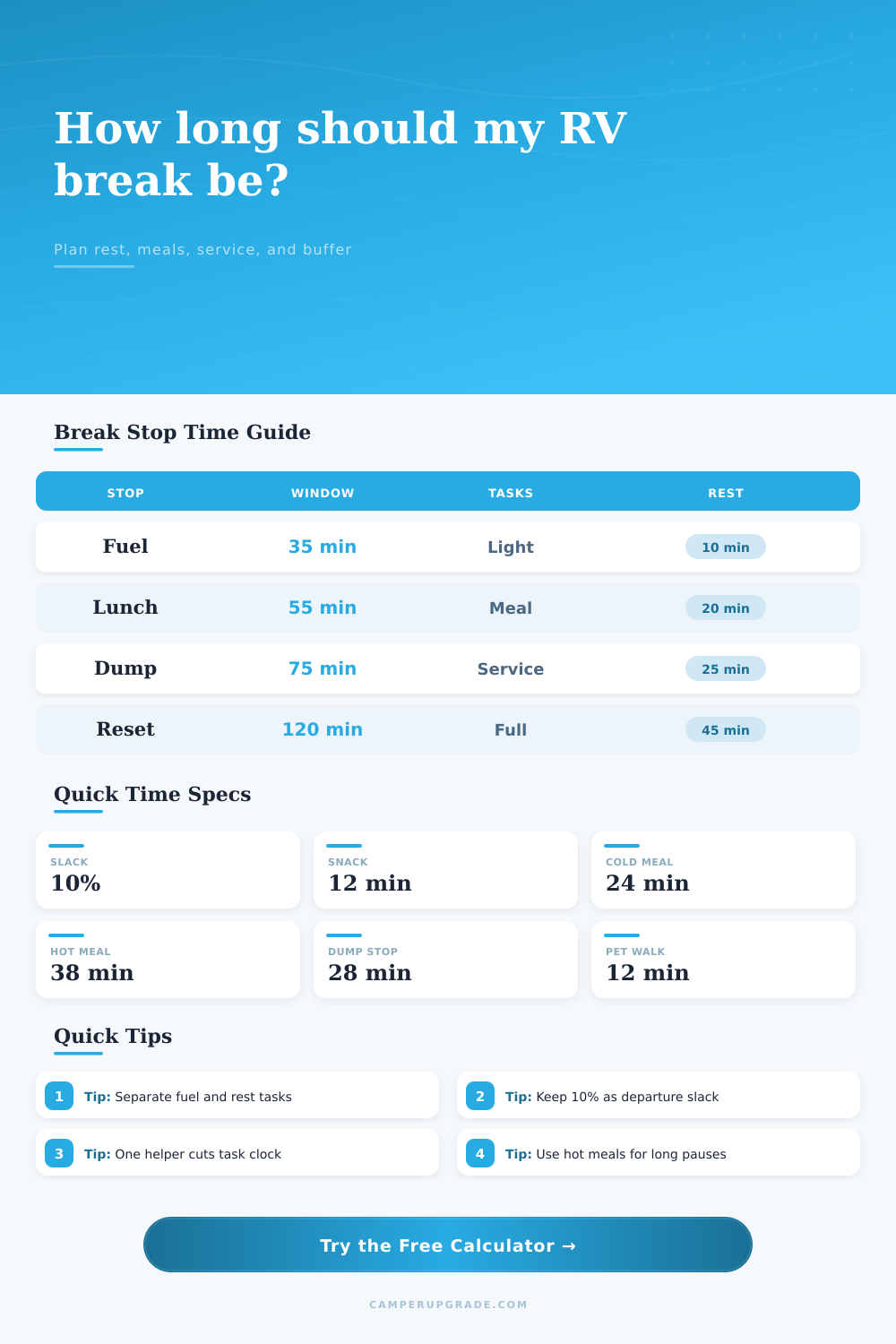
| 20 to 35 min | Driver stretch | Restroom, snack, fuel | 5 to 12 min |
| 45 to 60 min | Travel lunch | Cold meal, route check, pet walk | 15 to 25 min |
| 70 to 90 min | Service stop | Dump, water, meal, cleanup | 20 to 35 min |
| 105 to 150 min | Reset pause | Meal, care needs, cabin reset | 40 to 70 min |
⚙Task time standards
| Task | Lean stop | Normal RV stop | Extra time trigger |
|---|---|---|---|
| Fuel and payment | 8 min | 10 min | Truck lanes, long receipt lines |
| Dump station only | 22 min | 28 min | Queue, rinse, valve checks |
| Cold meal | 18 min | 24 min | Kids, coolers, table setup |
| Hot RV meal | 30 min | 38 min | Cookware wash and repack |
| Pet walk | 8 min | 12 min | Multiple pets or high heat |
| Route admin | 5 min | 8 min | Weather, gates, reservations |
🛌Driver rest target guide
| Drive context | Target rest | Buffer | Calculator note |
|---|---|---|---|
| Short hop under 2 hr | 10 to 15 min | 5% | Keep tasks light and direct. |
| Half-day highway drive | 20 to 30 min | 10% | Protect rest after food tasks. |
| Mountain or city routing | 30 to 45 min | 15% | Use extra slack for decisions. |
| Long towing day | 45 to 60 min | 20% | Split service and recovery stops. |
📍Common RV break scenarios
| Scenario | Window | Task clock | Likely rest |
|---|---|---|---|
| Solo Driver Stretch | 25 min | 10 min | 12 to 14 min |
| Fuel Stop Reset | 35 min | 22 min | 9 to 11 min |
| Interstate Lunch Pull-Off | 55 min | 31 min | 18 to 20 min |
| Dump Station Snack | 75 min | 43 min | 22 to 25 min |
| Family Campground Reset | 120 min | 58 min | 48 to 52 min |
💡Calculation tips
It’s the secret cost of RV life; you roll off the freeway in time to make your ETA. But then the clock goes into hiding. You stop at gas station thinking it will take 20 minutes, but it takes forty. The kids need to go potty. Somebody wants something from fridge. And by the time you’re done with the pump and the trash and the coffee, you have spent forty.
With the break time budget calculator, you’ll know how much wiggle room there is (and whether there’s enough). How long do you need for each service task? What about refueling? What about eating? What about care needs? What about rest breaks for drivers? Do you need a cushion to exit?
How to Calculate Your RV Break Time
But the problem is that RV stops aren’t solitary requests. They’re a pile of separate requests all fighting for the same minutes of time. A ten-minute stop for fuel becomes a 16-minute stop when you tack on the tire check. Toss in a cold lunch and that brings you to 24 minutes. These little chunks add up fast; most people greatly undervalue this.
The calculator will do the math for you (just input what you need to do). That way you don’t have to count each minute as you sip your cup of joe. It saves you the mental calculation and forces you to face facts about labor involved.
The number of helpers matter more than you might think. It is not necessarily which driver, but rather who is helping. So if it’s two adults then the clock time of all tasks gets a realistic cut since two people can each do half the work. While one goes to fill up the cooler, another tends to kids, or maybe one takes care of the dump station while the other one washes dishes.
But there’s a cap here where the tool doesn’t believe there is endless efficiency. There is still a handoff penalty. Just divvying up all the tasks equally between everyone in the car isn’t going to get you any magical result. The physics of how big the thing moves around puts a floor on the speed at which things happen.
And then there’s driver recovery time. That’s what makes the difference between a stressful road trip and a successful one. Twenty minutes of eating and thirty minutes of chores is no problem. But if you don’t leave any time for driver to sit back and unwind, then the next three hours of driving will feel longer.
The reference table on the page breaks it all down, saying that you should take at least twenty or thirty minutes off when doing a half-day drive. Guard those minutes. When your margin comes up short in the equation, trim the chores. Don’t trim the rest. A messy cabin is easier to live with. An exhausted driver? Not so much.
How you spend your time depends on how you eat. Packaged snacks take 12 minutes. A hot RV meal takes 38 minutes. So when do you want to cook? That’s a twenty-six minute difference between a snack and a hot meal. You can think of that as the ‘stove tax‘.
It is a choice between time and comfort. Eat cold snacks/meals if you’re running late. Cook your hot meal if you’re on a long pause. Pick your food plan with the calculator and it will immediately recalculate the rest of your budget. You’ll know exactly what you’re sacrificing for that hot meal.
And then don’t forget the buffer. Because life does happen. There’s always going to be more stuff than expected at the dump station. Your dog decides to smell every blade of grass. For normal conditions, the default in the departure buffer setting on the calculator is 10 percent. That means it takes into account that you will need extra minutes but it doesn’t allocate them as part of your task list.
The departure buffer setting becomes insurance. It ensures that when you are ready to leave, you have a cushion for the unexpected.
For example, when you’re using this tool, you might see presets like the family campground reset or the solo driver stretch. That is where you start to see that we all have different budgets for different contexts. That’s why a stop for a solo is so efficient: No one needs to negotiate. A stop for a family is chaotic. Everyone has different needs. Figure out what kind of party you’re with, and adjust your expectations accordingly.
If you need to take an hour or two to reset after a long day, that’s not failure. That’s realism. We aren’t minimizing time here. We’re controlling it.
Ultimately, what matters isn’t just how much time we have. What matters is how we spend it. When we know precisely how long we have to relax, we don’t care about the ticking clock anymore. We can really eat our lunch. We can really watch the dog playing. We can really let go of the tension in our shoulders. Why? Because the math is easy. But the peace of mind it gives is priceless. Plan the minutes so you could of enjoyed the minutes.