Cargo Center of Gravity Calculator
Estimate a loaded cargo center of gravity from item weights and positions, then check longitudinal CG, side-to-side offset, support reactions, capacity margin, and a planning stability score.
📦Cargo Layout Presets
⚖Platform, Support, and Cargo Inputs
Positions use the same reference line for every item. Longitudinal CG is measured from the front reference, side offset is negative left and positive right, and height is above the cargo floor or support plane.
📊Moment and Stability Spec Grid
📋Cargo CG Reference Tables
| CG Reading | Meaning | Load Effect | Adjustment |
|---|---|---|---|
| Middle 40% | Balanced lengthwise | Support loads share well | Verify limits |
| Forward of zone | Nose-heavy layout | Front support rises | Move light items forward |
| Aft of zone | Rear-heavy layout | Rear reaction rises fast | Move dense cargo forward |
| Past rear support | Levered rear load | Can unload front support | Reduce or relocate |
| Cargo Item | Typical Weight | Best Placement | Reason |
|---|---|---|---|
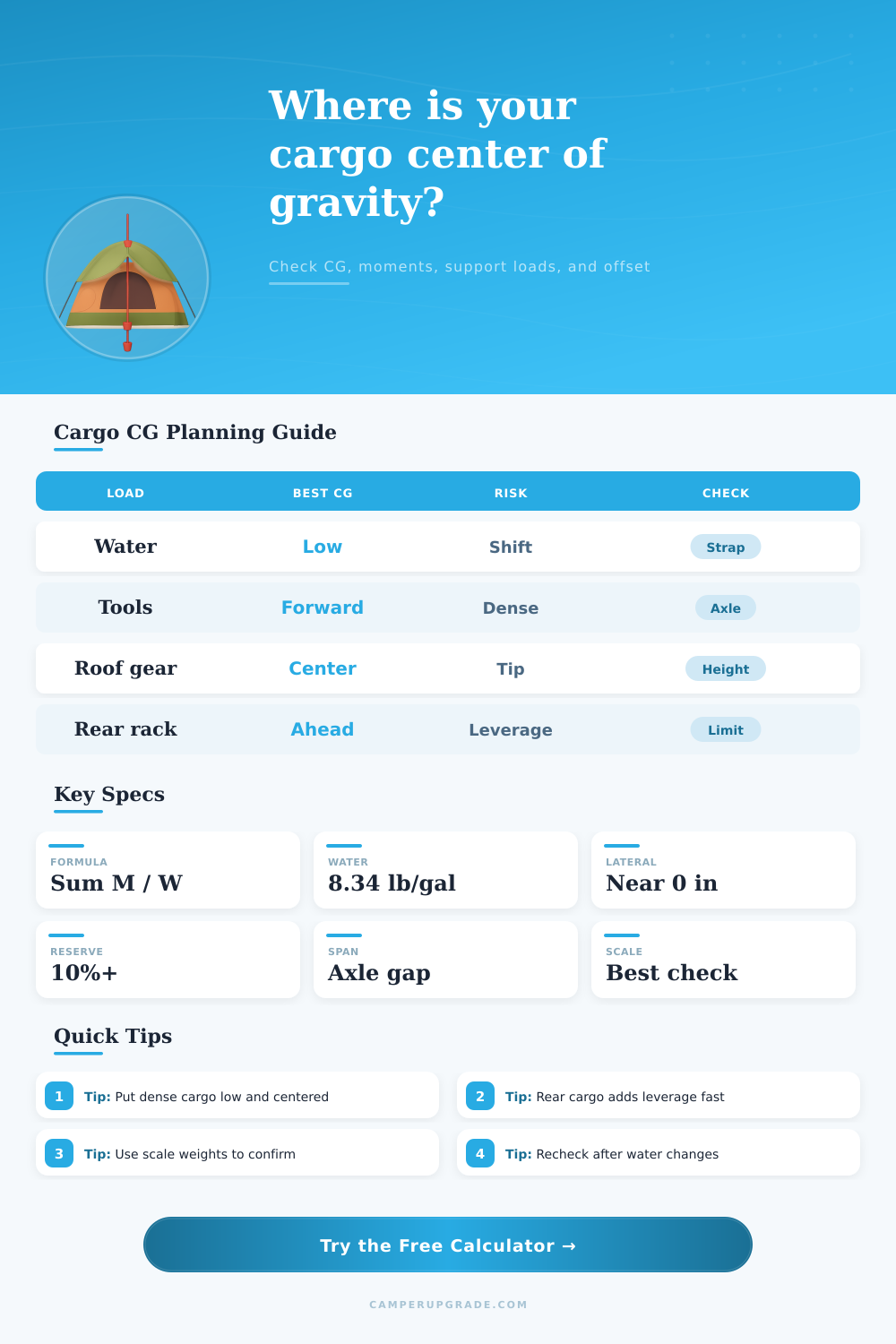
| Water jugs | 8.34 lb/gal | Low, near center | Weight changes during trip |
| Tool box | 40 to 180 lb | Low and forward | Dense load affects moments |
| Cooler | 30 to 120 lb | Low and accessible | Weight drops as used |
| Roof box | 30 to 165 lb | Centered | Raises vertical CG |
| Bike rack | 60 to 220 lb | Limit aft leverage | Rear overhang multiplies load |
| Formula | Calculation | Use | Note |
|---|---|---|---|
| Longitudinal CG | sum(W x X) / sum(W) | Front to rear balance | X from front reference |
| Lateral CG | sum(W x Y) / sum(W) | Side balance | Y negative left, positive right |
| Vertical CG | sum(W x Z) / sum(W) | High cargo awareness | Z above floor or tray |
| Rear reaction | W x (CG - front) / span | Rear support load | Span is rear minus front |
| Front reaction | W - rear reaction | Front support load | Can go negative with rear leverage |
| Layout Type | CG Goal | Main Limit | Best Check |
|---|---|---|---|
| RV basement | Near bay center | Axle and bay rating | Loaded axle scale |
| Utility trailer | Slightly ahead of axle group | Tongue weight range | Scale front and rear |
| Van cargo | Between axles | Payload and tire load | Door label plus scale |
| Rear carrier | As far forward as practical | Hitch and frame rating | Carrier manual limit |
| Roof tray | Centered side to side | Roof dynamic limit | Rack rating and height |
💡Practical Cargo CG Tips
Calculating the center of gravity is an important process in determining how a loaded trailer will behave. If the trailer is loaded such that the center of gravity is too far towards the rear of the trailer, then the front end of the trailer will be too light and the steering may feel vague. If the center of gravity is too high or the cargo is too far to one side of the trailer, the trailer will be unstable with crosswinds.
The calculation of the center of gravity allows the trailer to be loaded in a way that ensures that it will remain in control even when the loads shifts or when the liquids in the water tanks begin to drain. To calculate the center of gravity of the trailer with its load, you must enter the dimensions of the trailer platform, the position of the trailer supports, and the weight of each groups of cargo into the calculator. Each individual piece of gear has a specific position with respect to the trailer.
Find the Trailer’s Center of Gravity and Load It Safely
Each piece of gear has a specific distance along the length of the trailer, distance to each side of the trailer, and the vertical distance of that piece of gear from the ground. The calculator can determine the single point at which all of these individual moments balance for each individual piece of gear. This single point is the center of gravity of the trailer with its cargo; the distance of the center of gravity from the trailer’s front provides the information regarding how light or heavily the trailer will be at each end, and the vertical measurement of the center of gravity provides information regarding how high the center of gravity is above the trailers floor.
While the total weight of the trailer is important to consider, focusing upon only the total weight of the trailer is a mistake. The total weight of the cargo does not take into consideration the leverage that different portion of the cargo will have upon the trailer. For instance, a 200 pound toolbox placed towards the rear of the trailer will have more leverage upon the trailer than 400 pounds of water sitting towards the middle of the trailer.
The calculator displays the reaction of the front and rear supports of the trailer. If the load of the trailer is positioned past the rear support, the front support reaction will be a negative number, which indicates that the trailer’s front wheels will not be bearing any load. Another factor to consider is the offset of the cargo to each side of the trailer.
The offset to each side of the trailer will not seem significant to the trailers driver with the trailer stationary. The offset, however, will become significant when the trailer encounters a curve or gust of wind. The calculator can display the split of the load between each side of the trailer to help show the driver how the trailer will lean when in motion.
The vertical distance of the load from the trailer’s floor is also important to consider. The higher the center of gravity of the trailer, the less stable that trailer will be when performing turns. The stability score that is provided to the trailer driver accounts for each of these factors.
However, this number is for planning purposes only; the final confirmation of the weight of the trailer and its load should of been obtained using a scale. Some of the load that is to be transported on the trailer may be consumables, such as water and fuel. The weight of the water and fuel can change during transport.
You can account for these consumables in the calculator by performing the calculations twice with the tanks filled with water and fuel, respectively. Each time the load is calculated with the consumables at the same levels, the resulting numbers can be compared to assess the change in balance of the trailer during transport. The manufacturer of the trailer sets the support limits for the trailer.
These limits are established for the condition when the trailer is loaded in a way that the load is equally distributed between the front and rear of the trailer. If, however, the load is shifted towards the rear of the trailer, such that the local stress at the rear support is set to a level that is more greater than the support limit for that area of the trailer, even if the total weight of the trailer is within the limits of the trailer, the support reaction values for the front and rear of the trailer will alert the driver to that potential problem. Reference tables can be used to determine how the load should be distributed within the trailer.
For instance, the interior of an RV is typically loaded in a way that the center of gravity is close to the middle of the bay. Another example is of a trailer used to transport utility goods; the load should be placed slightly in advance of the trailer’s axle group to allow for tongue weights to be maintained within a usable range. Finally, the load on a trailer that has a rack on the rear should be placed as far forward as the trailer allows for the rack to be placed.
Common mistakes in loading the trailer include measuring the distance of an item to the front edge of the item rather than to its center of gravity. Another common mistake is to ignore the fact that the roof of the trailer does contain a set of cargo that can impact the stability of the trailer laterally. Roof boxes are placed at a high point on the trailer, and each box is typically offset from the center of the trailer by several inches.
The calculator will ask for the offset of each roofbox to ensure that this impact is reflected in the calculations. It is a habit for individuals to perform the calculations twice. Indications of the load can be performed once with the plan for loading the trailer, and the calculations can be performed a second time with the worst case scenario for that load being transported.
If the calculations remain within the limits of the trailer when loading in the worst case scenario, then the trailer is within a safe range for loading the cargo. If, however, the center of gravity indicated from the second calculation is outside of the limits for the trailer, then some of the dense items should be moved forward or lower on the trailer. A stable plan for the cargo within the trailer will result in the trailer having a stable steering.
The trailer will not hunt when moving forward or reversing. Furthermore, the trailer will not lean to either side during transport. Thus, getting the center of gravity of the trailer and its load to be within the proper range before starting to drive will result in each of these benefits for the trailer driver.